How to connect application MTLS
HOW TO CONFIGURE MTLS AUTHENTICATION PROTOCOL ON AN EXISTING APP
Retrieve consumer key
Open the application you want to connect
And retrieve CONSUMER KEY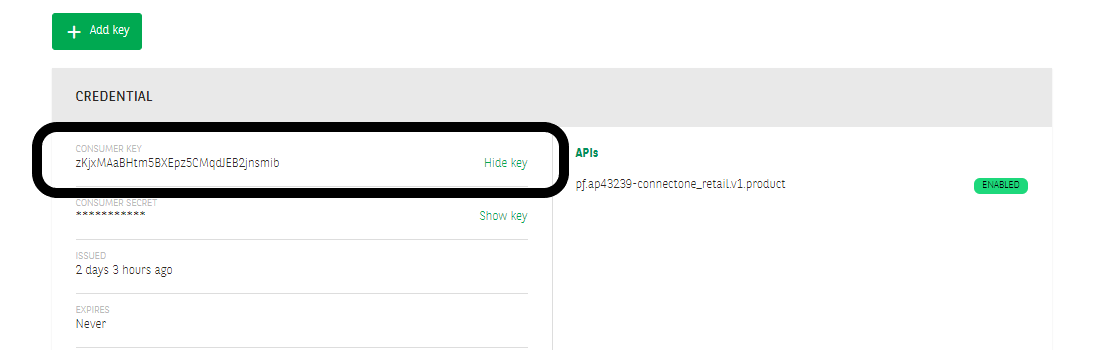
Generate correct CSR / public key crt
With the CONSUMER KEY forge dual private / public key with CN=CONSUMER KEY
Provide this CSR to your correct BNPP PF Contact for generating the public key signed by BNPP Authority
This crt will be send back to you for being imported in your profile.
Import your certifcate on your profile
Open MyProfile in User menu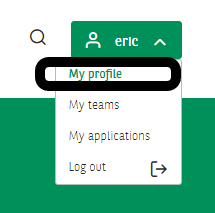
Profile detail -> click on MY CERTIFICATES

You can manage your certificates and upload the relevant one

Your certificate needs to be validated by BNPP PF Portal Admin.. An notification email will be automatically sent.

You'll be notified once validated.
Attach this certificate to your app
Attached validated certificate (public key) in your application (CERTIFICATES FOR MY APP)
